Introduction
Smartphones have become incredibly powerful over the past decade. Tasks that once required a desktop computer can now be completed from a device that fits in a pocket. People use smartphones to manage businesses, edit photos, attend online meetings, create content, shop, communicate, and even perform some forms of professional work.
This progress has led to an interesting question: can a smartphone really replace a laptop?
The answer is not as simple as yes or no. For some people, a modern smartphone can handle nearly everything they need. For others, a laptop remains an essential tool that a phone cannot fully replace. The difference depends largely on the type of work being done, the software required, and personal productivity needs.
This article explores where smartphones excel, where laptops still have clear advantages, and whether a phone can realistically become someone’s primary computing device.
How Smartphones Have Evolved
A decade ago, comparing a smartphone to a laptop would have seemed unrealistic.
Phones were mainly used for:
- Calls
- Messages
- Social media
- Basic web browsing
Today, smartphones are capable of much more.
Modern devices can:
- Edit videos
- Manage documents
- Run advanced applications
- Connect to external displays
- Handle multitasking
- Support cloud-based workflows
The performance gap between smartphones and laptops has become much smaller for many everyday activities.
This is why the discussion has become increasingly relevant.
Tasks Smartphones Already Handle Very Well
For many users, most daily computing tasks happen on a smartphone rather than a computer.
Communication and Collaboration
Smartphones are excellent communication devices.
Users can easily:
- Send emails
- Join video calls
- Participate in group chats
- Share files
- Manage social media accounts
In fact, many people rarely need a laptop for communication-related tasks.
Web Browsing and Online Services
Most websites are now optimized for mobile devices.
Users can:
- Read news
- Access online banking
- Shop online
- Use cloud services
- Research information
For casual internet use, smartphones are often more convenient than laptops because they are always available.
Content Consumption
Watching videos, listening to music, reading articles, and viewing social media content are all areas where smartphones perform exceptionally well.
For many users, entertainment is already a mobile-first experience.
Smartphones Have Become Powerful Productivity Tools
Modern mobile operating systems include increasingly sophisticated productivity features.
Document Editing
Users can create and edit:
- Word documents
- Spreadsheets
- Presentations
- Notes
- PDFs
Cloud-based platforms have made it easier to work from almost any device.
For simple editing and document management, smartphones are often sufficient.
Business Management
Many small business owners now rely heavily on their phones.
Common tasks include:
- Managing customer messages
- Tracking orders
- Processing payments
- Monitoring advertising campaigns
- Handling social media marketing
For some entrepreneurs, the smartphone has effectively become a portable office.
Why Smartphones Feel More Convenient
Convenience is one of the strongest arguments in favor of smartphones.
Always Available
A laptop often stays in a bag or on a desk.
A smartphone is usually within reach throughout the day.
This means users can:
- Respond quickly
- Access information instantly
- Complete small tasks immediately
The ability to work from anywhere is a major advantage.
Better Portability
Even the lightest laptop occupies more space than a smartphone.
For travelers, students, and professionals who move frequently, portability matters.
A device that fits in a pocket naturally encourages greater flexibility.
Where Smartphones Still Struggle
Despite impressive progress, smartphones still have limitations.
These limitations become more obvious as workload complexity increases.
Smaller Screens Reduce Productivity
Screen size remains one of the biggest challenges.
While smartphones are excellent for viewing information quickly, complex tasks often require more visual space.
Examples include:
- Comparing documents
- Managing large spreadsheets
- Editing presentations
- Researching multiple sources
A larger laptop display makes these tasks easier and more efficient.
Touchscreens Have Limits
Touchscreens are intuitive for many activities.
However, they are not always ideal for precision work.
Long periods of typing, detailed editing, and advanced productivity tasks are generally easier with:
- Physical keyboards
- Trackpads
- Mice
This is one reason many professionals still prefer laptops.
The Importance of Software Compatibility
Hardware is only part of the equation.
Software availability remains one of the biggest differences between smartphones and laptops.
Professional Applications
Many professional tools are designed primarily for desktop operating systems.
Examples may include:
- Engineering software
- Advanced design applications
- Professional video editing tools
- Specialized business software
- Programming environments
While mobile alternatives exist in some cases, they do not always offer the same functionality.
For users who depend on these applications, a laptop remains essential.
Can Smartphones Replace Laptops for Students?
The answer depends on the student’s needs.
For Basic Academic Work
Students who primarily need to:
- Read course materials
- Watch lectures
- Take notes
- Submit assignments
may find that a smartphone handles much of their workload.
For Advanced Studies
Students in technical fields often require software that works best on laptops.
Examples include:
- Programming tools
- Engineering software
- Data analysis applications
- Graphic design platforms
In these situations, laptops provide capabilities that smartphones cannot fully match.
Can Smartphones Replace Laptops for Content Creators?
Content creation is another area where the answer varies.
Social Media Creators
Many social media creators already rely heavily on smartphones.
They can:
- Record videos
- Edit short clips
- Publish content
- Respond to audiences
without ever opening a laptop.
Professional Production Work
More demanding projects often benefit from desktop-style environments.
Tasks such as:
- Complex video editing
- Multi-layer graphic design
- Large file management
remain more comfortable on laptops.
The difference is not necessarily processing power—it is often workflow efficiency.
External Displays Are Changing the Conversation
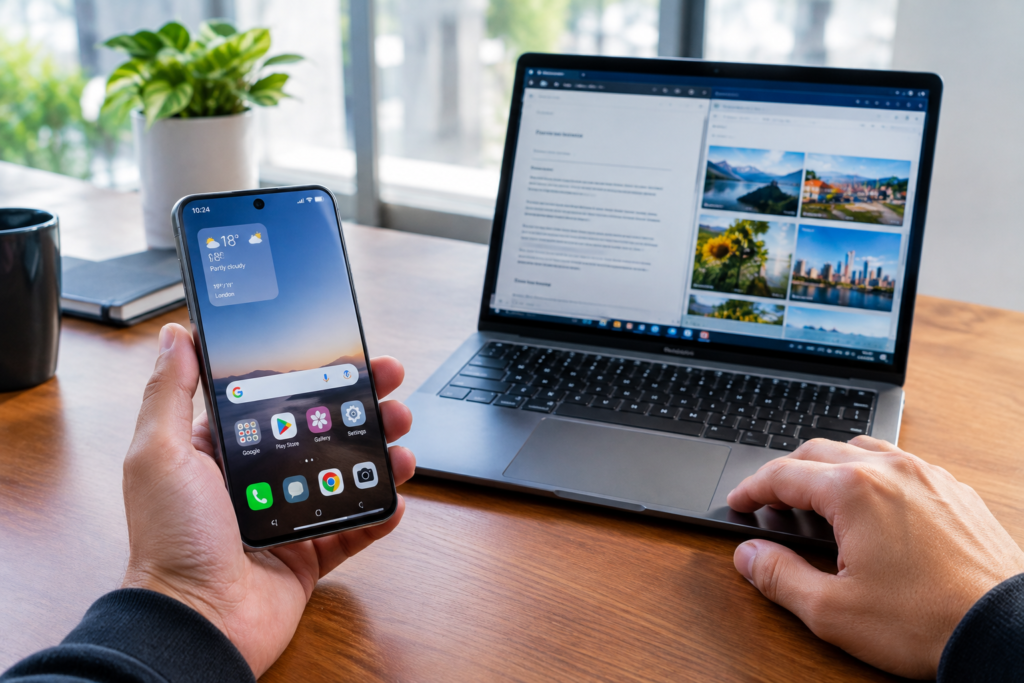
Some modern smartphones can connect to larger displays.
This allows users to create a more desktop-like environment.
A Hybrid Approach
When connected to:
- Monitors
- Keyboards
- Mice
certain smartphones become surprisingly capable productivity machines.
This setup can make document editing, multitasking, and office work much easier.
For some users, this bridge between mobile and desktop computing reduces the need for a separate laptop.
Cloud Computing Makes Smartphones More Capable
Cloud services have transformed how people work.
Work Happens Online
Many tasks now occur through:
- Web applications
- Cloud storage
- Online collaboration tools
Because processing and storage increasingly happen online, the device itself becomes less important.
As long as a smartphone can access the necessary services, many workflows remain possible.
This trend continues to strengthen the position of smartphones as productivity devices.
Battery Life Often Favors Smartphones
Battery performance is another area where smartphones have advantages.
Longer Everyday Endurance
Many smartphones easily last through a full day of typical use.
Users can quickly recharge them and continue working.
Laptops have improved significantly, but smartphones generally remain more convenient for quick access throughout the day.
The ability to stay connected continuously is one reason people increasingly rely on phones as their primary device.
File Management Is Better Than It Used to Be
File management was once a major weakness of smartphones.
Today, mobile operating systems offer much better control over:
- Downloads
- Cloud files
- Local storage
- External drives
While laptops still provide more flexibility, the gap has narrowed considerably.
For many users, mobile file management is no longer a significant obstacle.
Who Can Realistically Replace a Laptop With a Smartphone?
Certain users may be able to rely almost entirely on a smartphone.
Examples include:
- Casual users
- Social media users
- Online shoppers
- Frequent travelers
- Small business owners with simple workflows
If most tasks involve communication, browsing, content consumption, and light productivity, a smartphone may be sufficient.
Who Still Needs a Laptop?
Many users continue to benefit significantly from laptops.
These include:
- Programmers
- Engineers
- Designers
- Professional video editors
- Researchers
- Data analysts
People working with large files, specialized software, or complex multitasking environments generally remain more productive on laptops.
For them, a smartphone serves as a useful companion rather than a replacement.
The Future of Smartphone Productivity
The line between smartphones and computers continues to blur.
Manufacturers are steadily improving:
- Processing power
- Multitasking features
- External display support
- Software capabilities
- Accessory ecosystems
As cloud services expand and mobile operating systems mature, smartphones may become viable laptop replacements for a growing number of users.
However, laptops are evolving as well, making the competition ongoing rather than one-sided.
The Real Question Is Not Technology
Interestingly, the debate is no longer primarily about hardware performance.
Many modern smartphones are powerful enough for a wide range of tasks.
The real question is whether the workflow feels comfortable and efficient.
A task that can technically be completed on a smartphone may still take longer than it would on a laptop.
Productivity often depends on convenience, input methods, screen size, and software design rather than raw processing power alone.
Conclusion
Whether a smartphone can replace a laptop depends largely on how the device is used. For communication, web browsing, social media management, online services, content consumption, and many everyday productivity tasks, modern smartphones are more capable than ever. Some users may find that a smartphone meets nearly all of their computing needs.
At the same time, laptops continue to offer important advantages for professional software, large-screen productivity, advanced multitasking, and complex workflows. Rather than completely replacing laptops, smartphones have evolved into powerful computing devices that can reduce the need for a laptop in many situations. For readers of MobileVerseTopic, the best choice is not about which device is better overall, but which device best supports the way they work, learn, and create.