Pressing the power button on a smartphone feels like a simple action. The screen lights up, a logo appears, and within a few seconds you can start using your phone. Behind that short startup process, however, the phone is carrying out a carefully organized sequence of hardware and software operations.
From the moment electrical power reaches the processor to the point where the lock screen appears, several components have to work together. The phone checks its hardware, starts essential software, loads the operating system, prepares security features, and connects important services.
So, what actually happens inside your phone when you turn it on?
Power Reaches the Phone’s Main Components
When you press the power button, the first major event is the delivery of electrical power from the battery to the phone’s internal circuits.
The battery does not simply send power directly to every component. A power-management system controls how electricity is distributed and helps provide the appropriate voltage to different parts of the device.
The processor, memory, storage, display system, communication components, and other circuits all have different power requirements. The power-management hardware coordinates this process so the phone can begin operating safely.
At this stage, the phone is not yet ready to display the normal home or lock screen. It first needs to start the hardware and software required for the operating system.
The Processor Starts Working
The processor is one of the most important components during startup.
When a smartphone first receives power, the processor begins executing instructions from a very low-level piece of software stored in a location designed to remain available when the phone is powered off.
This initial code is responsible for getting the startup process moving.
Think of it as the first set of instructions that tells the phone where to look next. The processor cannot immediately launch the full operating system because the necessary systems and files have not yet been prepared.
The initial startup code therefore helps establish the environment needed for the next stage.
The Boot Process Begins
The sequence used to start a phone is commonly called the boot process.
Different smartphones use different hardware and software architectures, so the exact sequence varies between devices. Android phones and iPhones also have different startup systems.
Despite those differences, the basic idea is similar: low-level software starts first, checks what is needed, and eventually hands control to the operating system.
During this process, the phone may verify important software components before allowing them to run.
This is especially important for modern smartphones because security is built into the startup process rather than being added only after the operating system has loaded.
Hardware Is Checked
Before the phone can operate normally, it needs to initialize important hardware.
The startup process can involve components such as the processor, memory, storage, display, touch system, communication hardware, and other essential devices.
The phone needs to establish communication with these components so the operating system can use them.
If a critical hardware component has a problem, the phone may fail to start correctly. Depending on the issue, it might remain on a startup logo, restart repeatedly, display an error, or show no image at all.
This is one reason startup problems can sometimes point to hardware failures rather than a problem with the screen itself.
The Phone Loads Its Operating System
Once the early startup stages are complete, the phone begins loading the operating system.
On Android devices, this means starting the Android software environment. On an iPhone, the device loads Apple’s operating system and its associated system components.
The operating system is responsible for providing the environment in which applications and user-facing features can run.
It manages hardware resources, memory, storage, networking, security, notifications, and many other functions.
Instead of every individual app communicating directly with every hardware component, the operating system provides common systems that applications can use.
System Files Are Prepared
The operating system consists of many different components rather than one single file.
During startup, the phone loads and prepares the system services needed for normal operation. These services handle functions such as networking, audio, graphics, storage, security, and communication between different parts of the software.
Some components may start immediately, while others can be initialized later when they are needed.
This helps the phone reach a usable state without requiring every possible feature to become fully active at exactly the same moment.
Security Checks Happen During Startup
Security is another major part of the boot process.
Modern smartphones are designed to prevent unauthorized software from taking control of the device during startup. Secure boot technologies can check whether important software components are trusted before allowing the next stage to run.
The exact implementation depends on the manufacturer and operating system.
This process helps protect the phone against certain types of unauthorized modifications. It also helps establish a trusted chain from the earliest startup software to the operating system.
Why the Lock Screen Matters
When the phone eventually reaches the lock screen, that does not mean every piece of data is simply available to the operating system.
Modern phones use encryption and authentication systems to protect user information. Your PIN, password, or biometric authentication can be part of the process that allows access to protected information.
This is why restarting a phone can sometimes require the full passcode before fingerprint or face-based unlocking becomes available.
The exact behavior varies by device and operating system.
Memory Starts Getting Used
RAM plays an important role as the operating system starts.
The phone loads active system components into memory so the processor can access them efficiently while the device is running.
RAM is different from the phone’s storage. Storage keeps information even when the phone is turned off, while RAM is working memory used by the operating system and applications during operation.
As startup continues, the operating system establishes the memory environment required for system services and eventually user applications.
This is also why a phone with limited available memory may feel slower when many services or applications need to start at the same time.
The Display Finally Comes to Life
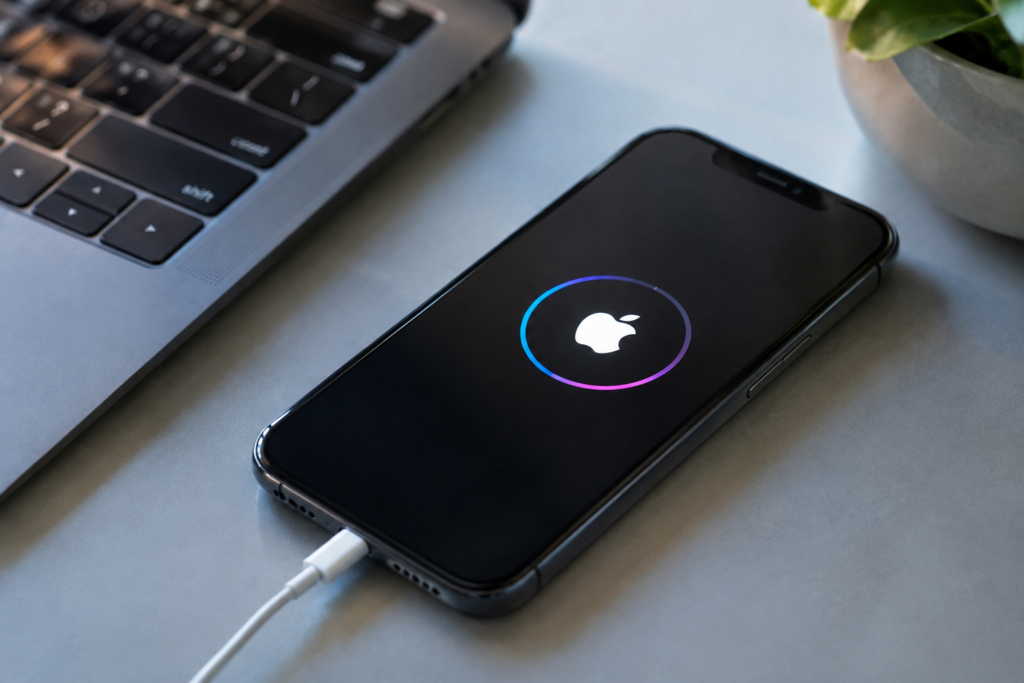
The screen may appear to be one of the first things that happens because users immediately notice the manufacturer’s logo.
In reality, the display is only one visible part of a much larger startup process.
The graphics system needs to initialize the display hardware and provide the images that appear on the screen. The startup logo can then be shown before the full operating system interface becomes available.
Once the operating system is sufficiently loaded, the device can transition from the startup screen to the lock screen or another appropriate interface.
Network Connections Are Established
After the basic operating system is running, the phone begins preparing communication features.
Depending on the device and available connections, this can involve cellular networks, Wi-Fi, Bluetooth, and other wireless systems.
A smartphone may need to identify available networks, establish communication with a carrier, and prepare background services that rely on internet access.
Some of these processes continue after the lock screen appears, so the phone does not necessarily finish every startup task before becoming usable.
Background Services Start
A modern smartphone runs many services that users rarely see directly.
These can include notification systems, system updates, synchronization services, security features, backup functions, location-related services, and other background processes.
Some applications may also begin preparing themselves according to the operating system’s rules and the user’s settings.
This explains why a phone can feel slightly slower immediately after a restart. The device may still be completing background tasks even though the home or lock screen is already available.
Why Older Phones Sometimes Take Longer to Start
Startup time can vary significantly between phones.
The processor, storage technology, amount of system software, encryption processes, and the condition of the operating system can all affect how quickly a device becomes usable.
Storage performance can be particularly relevant because the operating system needs to read many files during startup.
A phone that has accumulated software problems, experienced storage issues, or is running an outdated or damaged system may take longer to boot or may repeatedly restart.
However, a slow startup does not automatically mean the phone has a serious hardware problem. Software configuration and background processes can also affect startup behavior.
What Happens After the Lock Screen Appears?
Seeing the lock screen does not necessarily mean the startup process has completely stopped.
The phone can continue initializing services in the background while you begin using it.
Once you unlock the device, additional applications and services may become active. Widgets can refresh, notifications can synchronize, and network-dependent applications can begin updating their information.
The phone is essentially moving from a basic startup state into its normal operating state.
Why Understanding the Boot Process Is Useful
Knowing what happens when a phone turns on can make troubleshooting easier.
If a phone never shows anything on the screen, the problem may involve power, hardware, or display-related components.
If it shows the manufacturer’s logo but never reaches the lock screen, the problem could involve the operating system, storage, software, or another part of the startup sequence.
If it repeatedly shows the logo and restarts, the device may be caught in what is commonly called a boot loop.
These symptoms do not identify a specific fault by themselves, but they can help narrow down where the problem might be.
Conclusion
Turning on a smartphone looks simple from the outside, but the phone performs many tasks before it becomes ready for everyday use.
Power is distributed to the hardware, the processor begins executing low-level instructions, startup software initializes components, security checks take place, the operating system loads, memory is prepared, and communication services begin working.
Only after these stages does the familiar lock screen appear.
The next time you press your phone’s power button, remember that the few seconds before you see your apps involve a coordinated process between the battery, processor, memory, storage, operating system, security systems, and many other components. That hidden startup sequence is what turns a powered-off piece of hardware into a working smartphone.